Folders
Make a folder
- Click the apps you want to group.
- Click Make folder in the selection bar.
- Type a name. The folder opens in the sidebar with its name ready to edit.
The new folder takes the place of the first app you selected. Only apps can go into a folder: folders and widgets can't be nested inside one.
You can also drag apps into any open folder.
Open a folder
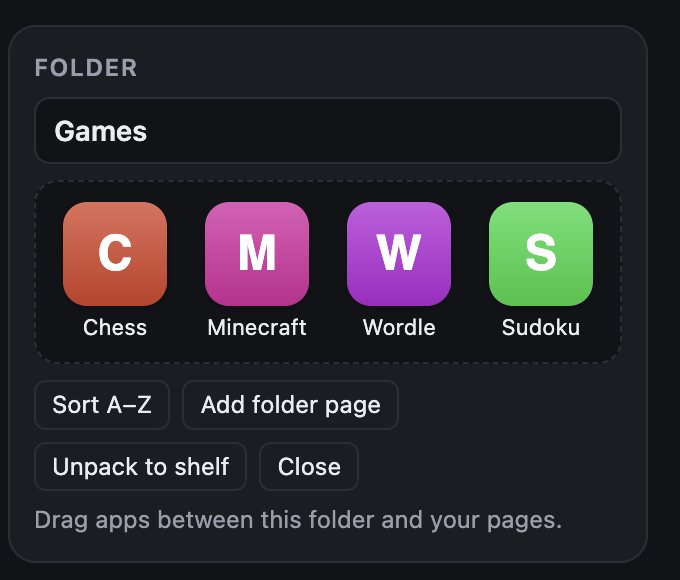
Double-click a folder to open it in the Folder card in the sidebar. From there you can:
| Button | What it does |
|---|---|
| Name field | Rename the folder. Names can be up to 64 characters. |
| Sort A–Z | Alphabetize the apps in the folder, filling its pages 9 apps at a time. |
| Add folder page | Add an empty page inside the folder. |
| Unpack to shelf | Take every app out of the folder and put them on the Shelf, then remove the folder. |
| Close | Close the folder card. |
Drag apps between the open folder and your pages to move them in or out.